Recorded sessions
Where to find recorded sessions of my XR lesson?
- Go to the XR Platform.

- If the session was today, you can find it with Today's sessions. Press the video icon to open the recording.

-
If the session was in the past, go to Sessions.
-
Use the filter to find sessions of your XR lessons (from XR Instructor) or connected to specific lesson content.
-
Press the video icon to watch the session.
What data can I see in recorded sessions?

When watching the recording of a session you can see progression of the VR training in the events on the right.
Different kinds of events can be:
-
Started: the trainee started the training
-
Progressed: the trainee progressed through this step
-
Passed: the trainee passed this step
-
Failed: the trainee failed this step
-
Terminated: the trainee finished the training
-
Abandoned: the trainee left the training
You can use the indicator on the timeline of the video to jump to different events.
Download Recorded Sessions
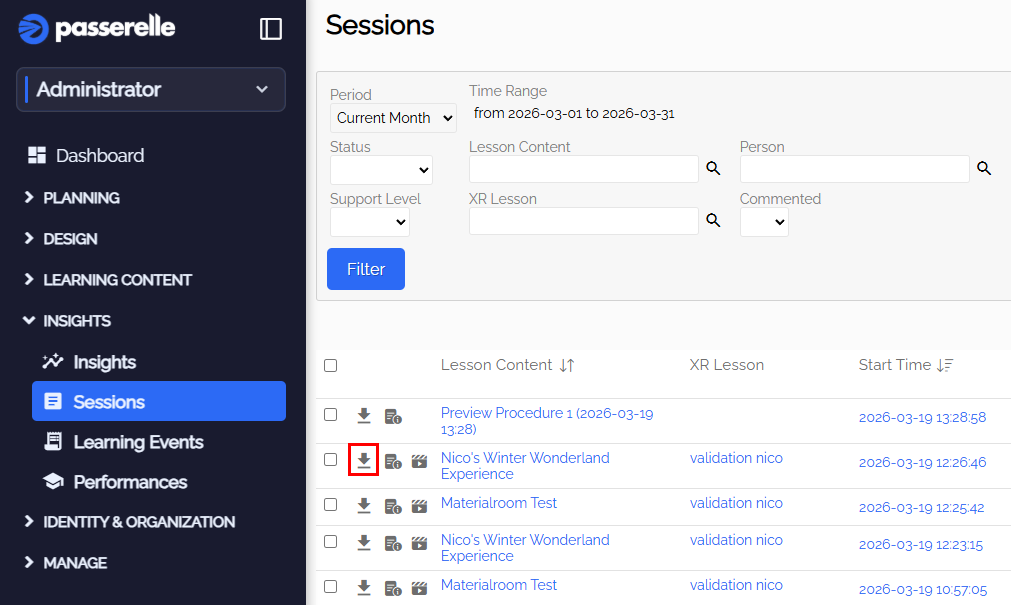
- You can download the recording, learning events and your own annotations when pressing the Session Export button
Session Analytics
- If you want to see analytics of sessions of your organization, go to insights and sessions. In the upper right corner you can switch views.
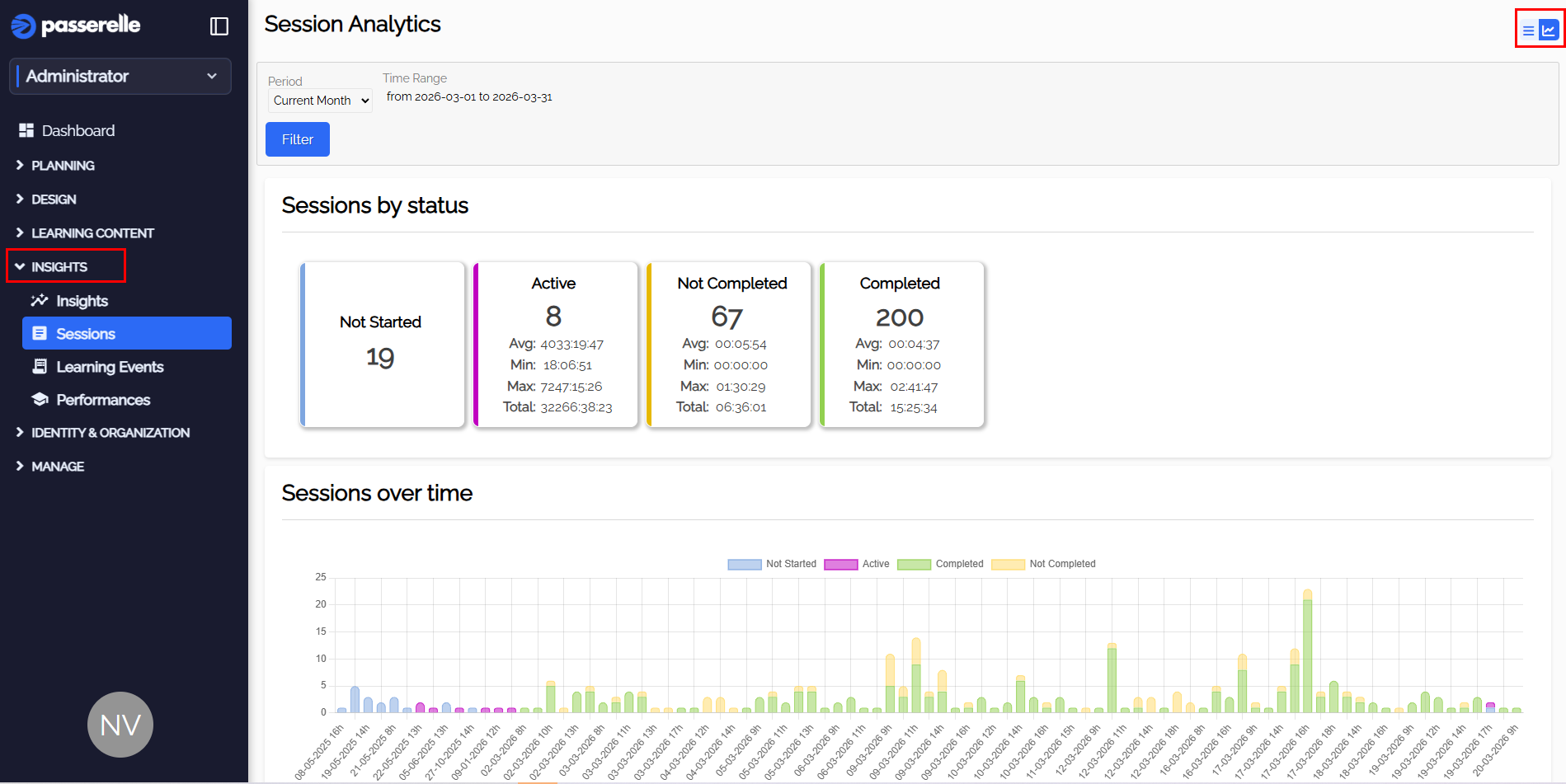
- You see how many sessions are active right now, sessions of lessons that were not completed and sessions of lessons that were completed.